Serial terminal - agetty
So, what do you need for a serial connected terminal?
With Linux it's fairly simple as everything is offered by the Standard.
Most important is to have a physical serial interface (COM1/COM2). The older among us
might remember that in the past any PC offered them. Today it is generally unusual. But there are
USB adapters that may offer 2xRS232.
Depending on your device you will have these entries: ttySx / ttyUSBx
The alternative Linux getty (agetty) is Standard with any Linux distribution. By the way, getty
is a short form of "get tty", the serial connection to a teletype (tty). That is from
the beginning with large central computers where decentralized operator stations had serial
connections (Teletype).
Correct, we are talking about a "console"! Some of us might memorize Ctrl+Alt+F1 to F6.
This is not limited to virtuality but also offers reality .
The required service is already started to support the virtual consoles .
We just have to configure a real interface.
/etc/systemd/system/getty.target.wants/serial-getty@ttyS0.service#  This file is part of systemd.
#
#  systemd is free software; you can redistribute it and/or modify it
#  under the terms of the GNU Lesser General Public License as published by
#  the Free Software Foundation; either version 2.1 of the License, or
#  (at your option) any later version.

[Unit]
Description=Serial Getty on %I
Documentation=man:agetty(8) man:systemd-getty-generator(8)
Documentation=http://0pointer.de/blog/projects/serial-console.html
BindsTo=dev-%i.device
After=dev-%i.device systemd-user-sessions.service plymouth-quit-wait.service
After=rc-local.service

# If additional gettys are spawned during boot then we should make
# sure that this is synchronized before getty.target, even though
# getty.target didn't actually pull it in.
Before=getty.target
IgnoreOnIsolate=yes

[Service]
#ExecStart=-/sbin/agetty --keep-baud 115200,38400,9600 %I $TERM
ExecStart=-/sbin/agetty 300 %I vt52
Type=idle
Restart=always
UtmpIdentifier=%I
TTYPath=/dev/%I
TTYReset=yes
TTYVHangup=yes
KillMode=process
IgnoreSIGPIPE=no
SendSIGHUP=yes

[Install]
WantedBy=getty.target
Obviously I adapted the invocation parameters:300 baud = bits / second
vt52 terminal = VT52 control code definition
Unfortunately not all Linux programs note this setting. Some are sending ANSI sequences anyway.
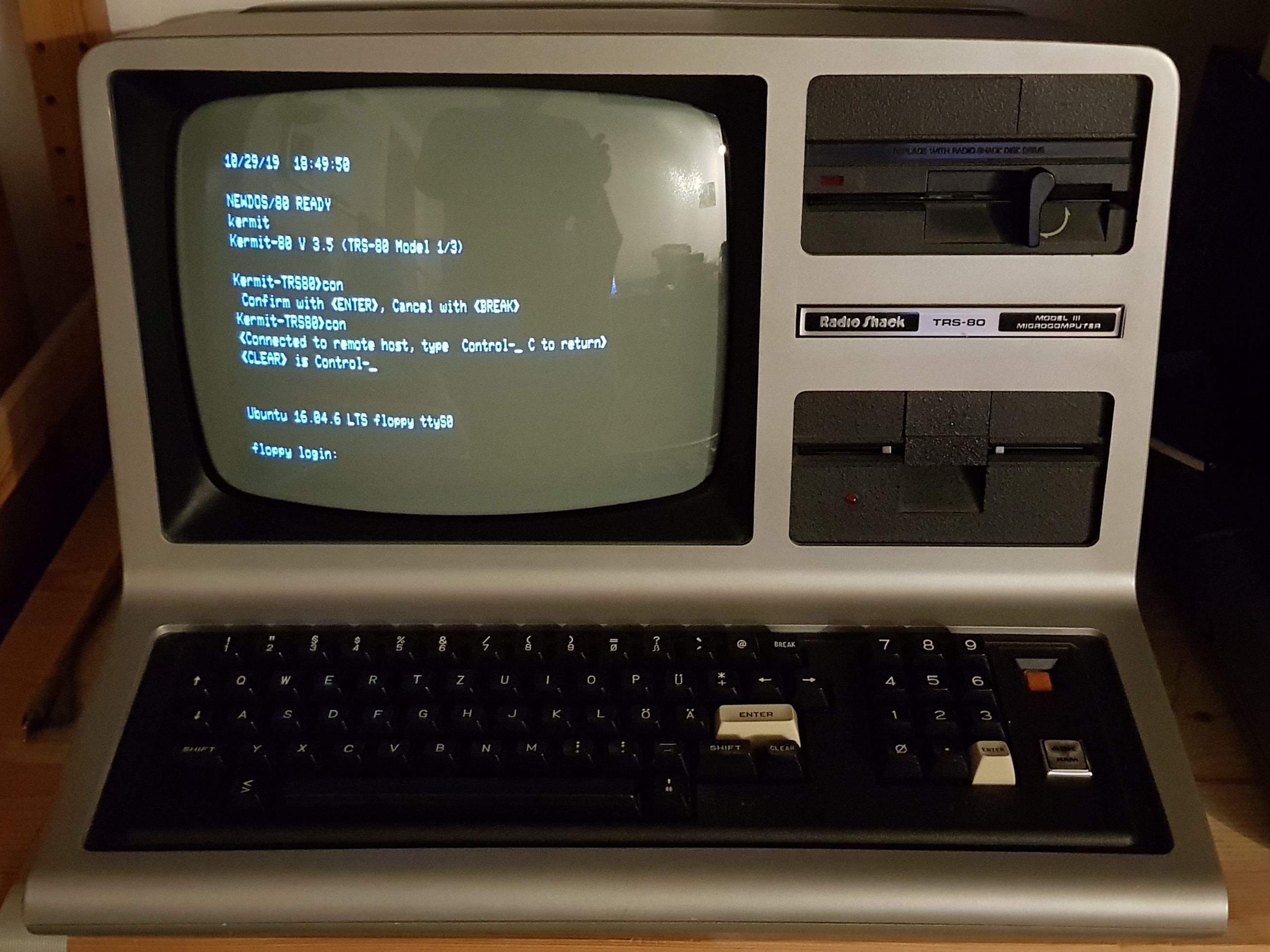
But lately after a restart of the Linux PC, the login prompt is sent via the serial
interface. At 300 baud it is easy to read as it comes in!
With
Great!